Apple's Liquid Glass effect
for After Effects, Photoshop & Illustrator
A free plugin that turns your own shapes and text into real, refracting glass in one click, like iOS 26 and macOS Tahoe. Live, non-destructive, and it updates whenever anything behind it changes.
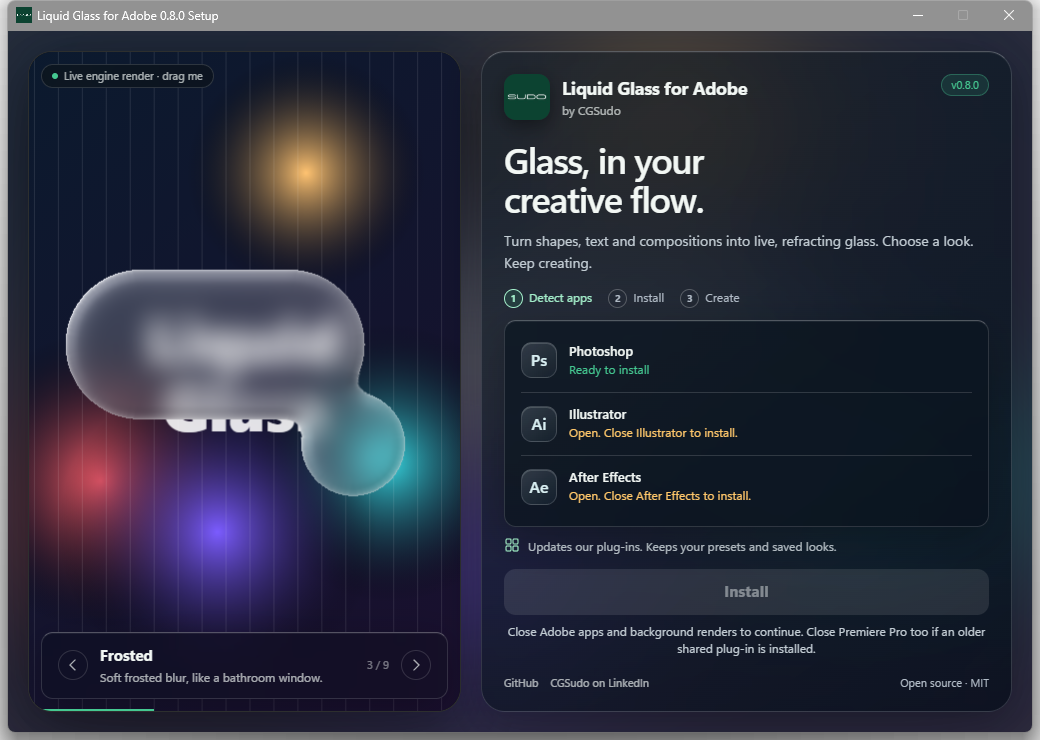
Windows: one Setup.exe installs all three apps · Mac: Plugin for Photoshop (.ccx) · MIT licence
Real glass, not a blur
One click
Select shapes or text and click Make Glass (Photoshop), or apply Effect › Stylize › Liquid Glass (Illustrator).
Real refraction
The edge bends and magnifies what's behind it, with a rainbow fringe, rim lights and a bevel, like Apple's material.
Always live
Move the glass, edit the text or change the background: the glass re-renders by itself. Nothing is flattened.
9 looks + your own
Liquid Glass, Clear, Frosted, Glassmorphism, Ice, Smoked, Crystal, Bubble and Film frost. Save your own looks.
Liquid merge
Shapes close to each other melt together with smooth liquid bridges.
Fast Rust engine
WebAssembly in Photoshop, native in Illustrator and After Effects. The same engine renders the looks in the installer.
Liquid Glass for After Effects
Apply Effects ? CGSudo ? Liquid Glass to a shape, text, image, footage or pre-comp layer. Its alpha becomes glass; its colour is ignored and the artwork underneath is read automatically. Shapes melt together; text letters stay separate unless Liquid letters is on.
Glass Studio lives in Effect Controls with a live preview, looks and plain-language help. Keyframe tint, frost, lens, light, shadow, glow, stroke and grain. The separate Liquid Glass Brightness effect builds glass from a layer?s brightness.

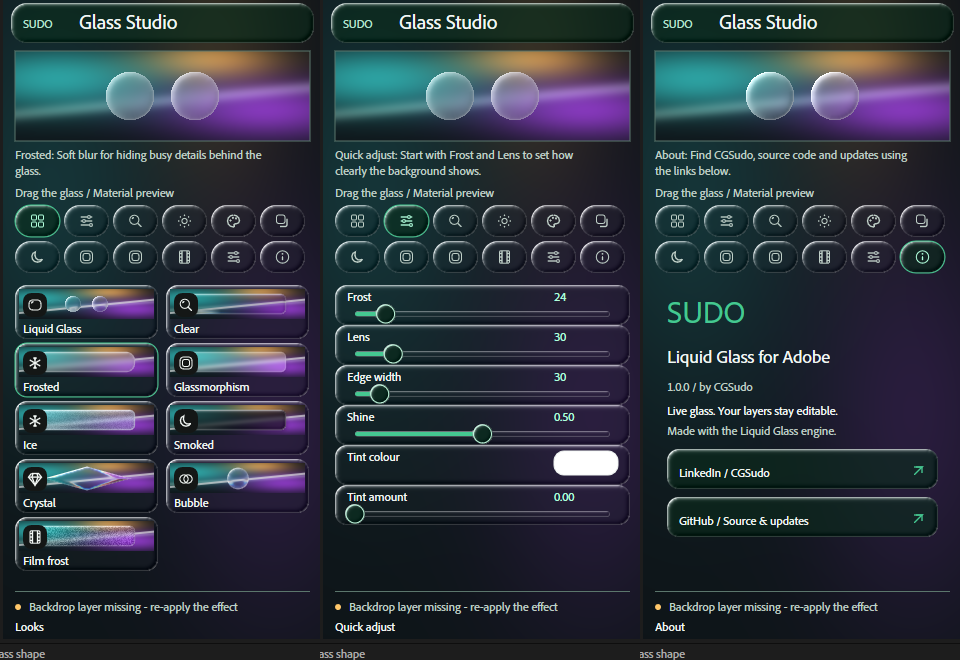
After Effects 2026: Windows, tested on Windows. Premiere Pro is coming and is not released.
How to use in 30 seconds
After Effects
Put a shape, text, image, footage or pre-comp above artwork. Apply Effects ? CGSudo ? Liquid Glass, then choose a look in Glass Studio.
Photoshop
Select shape or text layers, open Plugins ? Liquid Glass for Adobe, and click Make Glass.
Illustrator
Select a shape, group or text and choose Effect ? Stylize ? Liquid Glass. Adjust the look and preview.
Download
| You want | File | Works on |
|---|---|---|
| Everything, one click | LiquidGlass-for-Adobe-…-Setup.exe | Windows 10 / 11 |
| Everything for Windows and Mac | …-AIO-Windows-Mac.zip | Windows + macOS |
| Photoshop only | LiquidGlass-for-Adobe-Photoshop-….ccx | Windows + macOS |
| Illustrator only | LiquidGlass-for-Adobe-Illustrator-…-Windows.zip | Windows |
| Source code | …-Photoshop-…-source.zip, …-Illustrator-…-source.zip |
All files are on the latest release. Tested on Windows; Photoshop on macOS has not been tested. Illustrator for Mac is planned. Setup is not code-signed; SmartScreen may show ?Windows protected your PC?: choose More info ? Run anyway.
How it works
1 · Your shape
Any shape, path or text. It stays editable: the plugin never merges or flattens it.
2 · Read what's behind
The plugin reads the artwork under the shape without changing your document.
3 · Bend the light
The shape becomes a curved glass surface; light refracts through it with dispersion, frost and rim highlights.
4 · Stay live
Move anything and the glass renders again, exactly like the demo above.
FAQ
How do I make liquid glass in After Effects?
Apply Effects ? CGSudo ? Liquid Glass to a shape, text, image, footage or pre-comp above your artwork. The backdrop is automatic.
Is Premiere Pro supported?
Premiere Pro support is coming and is not released yet.
How do I make Apple's Liquid Glass effect in Photoshop?
Install Liquid Glass for Adobe, select a shape or text layer and click Make Glass. Without a plugin you would blur a merged copy of the background and paint highlights by hand, a static fake that breaks when anything moves.
How do I make the iOS 26 glass effect in Illustrator?
Select a shape, group or text and choose Effect › Stylize › Liquid Glass…. It is a live effect, so the shape stays editable.
Liquid Glass or glassmorphism?
Glassmorphism is frosted blur with a light border. Liquid Glass adds real refraction at the edge. The plugin does both: try the Glassmorphism and Frosted looks.
Is it free? Does it work on Mac?
Free and open source (MIT). The plugin for Photoshop runs on Windows and macOS; the plug-in for Illustrator is Windows only for now.
Is it made by Adobe or Apple?
No. Liquid Glass for Adobe is an independent project by CGSudo.